Screen recordings that look
studio-made.
Recoly records your Mac in up to 4K, then turns the raw take into polished video — automatic zoom, smooth cursor, clean backgrounds, captions and device mockups. No timeline wrangling.
Free forever for the essentials. Upgrade to Pro for 4K, no watermark and more.
Anyone can hit record.
Recoly makes it look produced.
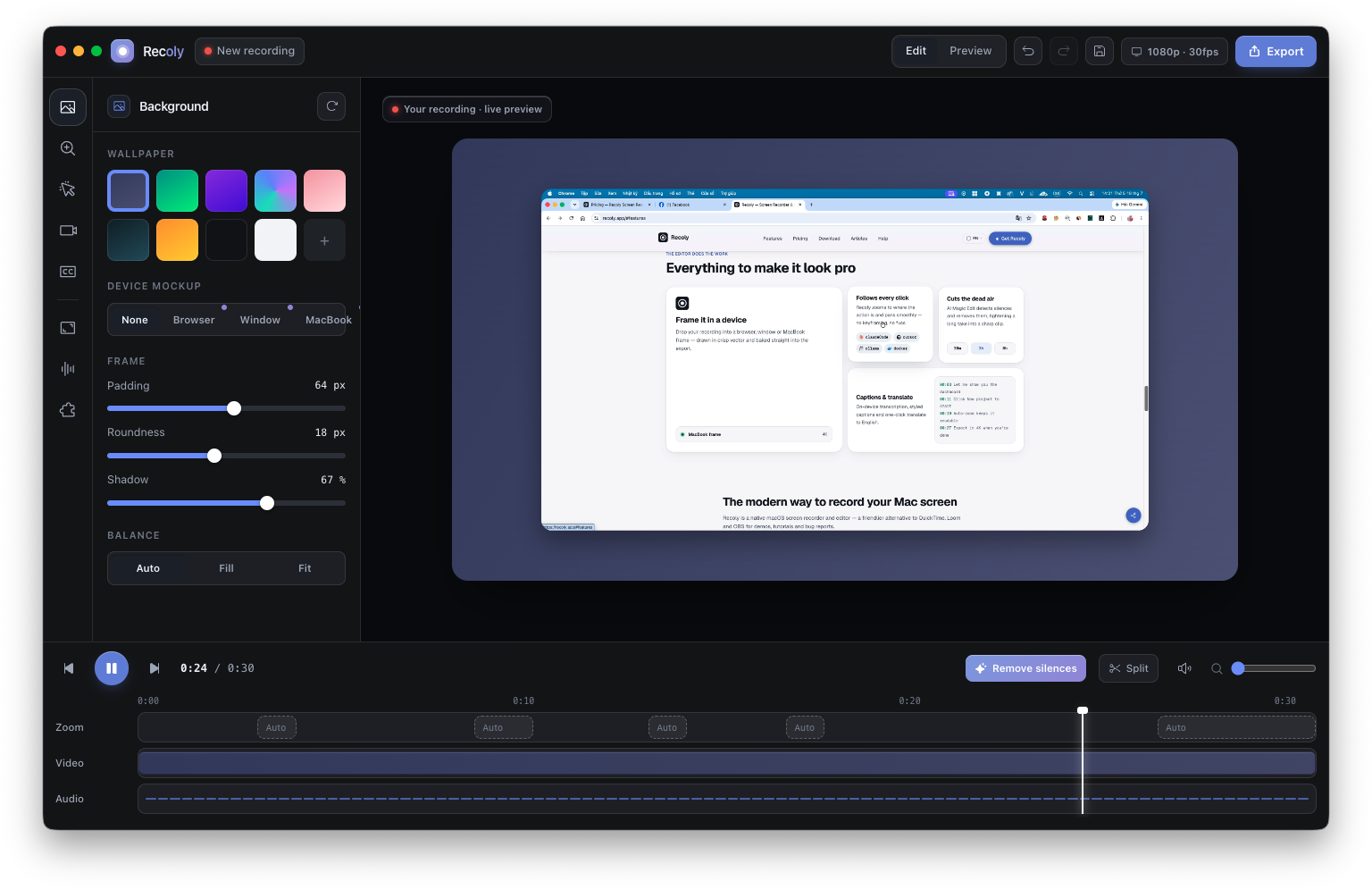
From messy take to shareable in minutes
Record once and Recoly handles the polish — zoom, trims, captions and a clean export you can drop anywhere.
The recording is the easy part
The moment that matters is turning that raw capture into something people actually want to watch.
Product demo
Sales needs a crisp walkthrough by end of day — not a shaky, zoom-less screen grab.
Bug report
A quick GIF says more than three paragraphs. You need it in seconds, not a video editor.
Course lesson
Students tune out blurry footage. Every click should be readable and captioned.
Record, and the edit is basically done
Recoly watches the cursor, zooms where the action is, cuts the dead air and lays it on a background — so the file you export already looks edited.
- 01Hit record
- 02Recoly follows the cursor
- 03Silences trimmed automatically
- 04Drop on a clean background
- 05Captions in one click
- 06Export in 4K or share
No cloud upload. No account. Your footage stays yours.
Yours. On your Mac.
Recording, editing and export all happen on-device. Nothing is uploaded, nothing is tracked.
100% local
Capture, edit and export never leave your Mac.
No account
Download and record. No sign-up, no email, no tracking.
Your files, your formats
Export MP4, WebM, GIF or ProRes — you own the output.
Offline captions
Transcription runs on-device with Whisper. No cloud.
Notarized & signed
Developer ID signed and notarized by Apple.
One-time license
Buy Lifetime once. No subscription required.
Raw capture vs. a Recoly cut
The difference isn't the camera. It's the edit Recoly does for you.
Same screen, same moment — one is a plain grab, the other looks produced.

Straight screen grab
- Tiny cursor, hard to follow
- Dead air and long pauses
- Cluttered desktop background
- No captions
- Huge, unwieldy file
The same take, in Recoly
- Auto-zoom on every action
- Silences removed
- Clean, branded background
- Captions burned in
Everything to make it look pro
Frame it in a device
Drop your recording into a browser, window or MacBook frame — drawn in crisp vector and baked straight into the export.
Follows every click
Recoly zooms to where the action is and pans smoothly — no keyframing, no fuss.
 claudeCode
 cursor
 ollama
 docker
Cuts the dead air
AI Magic Edit detects silences and removes them, tightening a long take into a sharp clip.
Captions & translate
On-device transcription, styled captions and one-click translate to English.
The modern way to record your Mac screen
Recoly is a native macOS screen recorder and editor — a friendlier alternative to QuickTime, Loom and OBS for demos, tutorials and bug reports.
- Record the full screen, a window or a selected area
- Capture webcam and system audio together
- Auto-zoom, cursor smoothing and clean backgrounds
- Export up to 4K, or GIF, WebM and ProRes
One recorder, every kind of video
Recoly vs. the usual options
QuickTime records but barely edits. Loom lives in the cloud. Recoly does both — natively, and offline.
Simple pricing. Pro is yours forever.
Questions? We answer every email.
Monthly, yearly, or one-time Lifetime — your choice.
For polished, watermark-free video.
- Everything in Free
- 4K & ProRes export
- No watermark
- AI Magic Edit — remove silences
- Device mockups
- Webcam background removal
- Captions + translate to English
- Live streaming (RTMP)
- Lifetime updates
Everything you need to record and share.
- Screen, webcam & mic recording
- Built-in editor
- Auto-zoom & cursor smoothing
- Backgrounds & padding
- MP4 export up to 1080p
- Lifetime updates
For polished, watermark-free video.
- Everything in Free
- 4K & ProRes export
- No watermark
- AI Magic Edit — remove silences
- Device mockups
- Webcam background removal
- Captions + translate to English
- Live streaming (RTMP)
- Lifetime updates
Questions, answered
Trouble installing? Read the install guide
Your best screen recording
is one click away.
Free for macOS. No account, no watermark on Pro, no cloud.